Lab: Galaxies
- Assigned:
- Tuesday, Mar 7, 2017
- Due:
- Friday, Mar 17, 2017 by 10:30pm
- Collaboration:
- Work with your assigned partner for this lab. You may use your classmates and their code as a resource, but please cite them. Sharing of complete or nearly-complete answers is not permitted. If you do not know whether it is acceptable use a specific resource you should ask.
Lab: Galaxies
- Assigned:
- Tuesday, Mar 7, 2017
- Due:
- Friday, Mar 17, 2017 by 10:30pm
- Collaboration:
- Work with your assigned partner for this lab. You may use your classmates and their code as a resource, but please cite them. Sharing of complete or nearly-complete answers is not permitted. If you do not know whether it is acceptable use a specific resource you should ask.
Groups
- Niko, Ajuna, and Black
- JaeEun and Alex M.
- Jonah and Larry
- Alex F. and Yuxi
- Mattori and Marcel
- Giang and Chiara
- Rachel and Zachary
- Clara and Connor
- Saung and Maddie
- David and Matt
- Adam and Mari
- Anna and Seth
- Gemma and Yazan
- Kathryn and Uzo
Overview
For this lab, you will parallelize a single-threaded implementation of an n-body simulation. An n-body simulation models the movement of n massive objects acting on each other gravitationally. Every pair of stars has some gravitational effect, and to compute the total effect on each star we have to consider all pairs of stars. This results in a lot of repeated computation, which is a good target for parallelization.
During the course of this lab, you’ll learn some very basic C++.
Specifically, this project uses C++’s operator overloading to provide a convenient class that represents two-dimensional vectors.
The project does use other C++ standard features like std::vector (which is similar to Java’s ArrayList) and some additional classes to make the code a bit cleaner.
If you run into some C++ code you don’t understand or you are interested in using C++ features for your component of this lab, cppreference.com is a good resource for the C++ standard library.
In particular, the C++ thread API eliminates much of the boilerplate code you have to write to create threads in C.
I am happy to give explanations or quick tutorials on C++, but I expect most of the code you write will be very C-like for this lab.
The starter code is available on GitHub at grinnell-cs/213-galaxy. Follow the usual procedure for forking this repository and adding your partner as a collaborator.
Provided Code
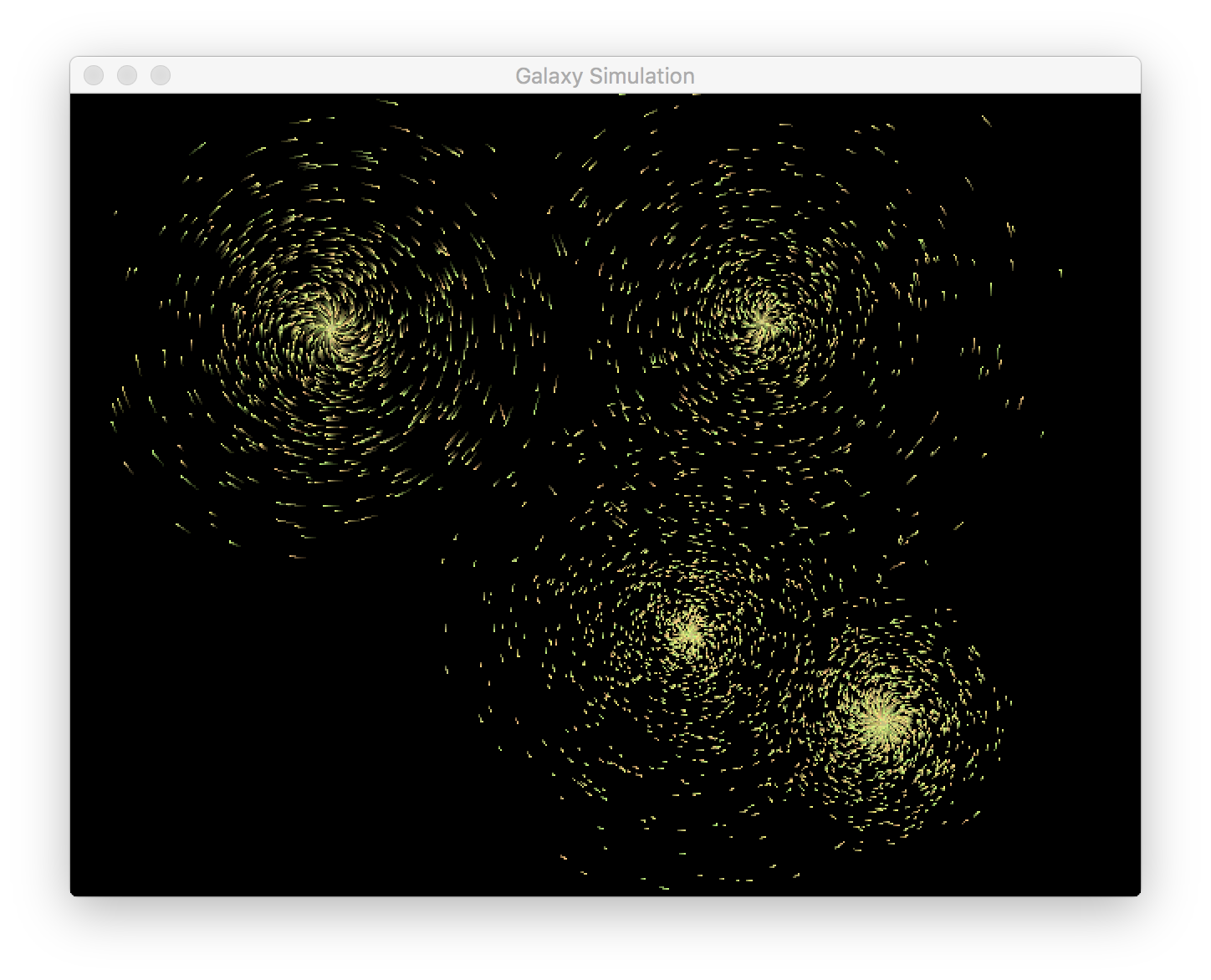
This section describes the basic organization of the provided code.
For this project, we are using the .cc and .hh file extensions for C++ source and header files, respectively.
The suffixes .cpp and .hpp are also common, but sometimes you’ll see C++ include files that just end in .h.
We’ll walk through each file here:
- main.cc
- This file contains the main computation loop and some user interface code for the program.
The computationally-intensive part of this program is the
updateStarsfunction. This code merges stars that are close enough to collide, then computes the force on each star and updates its position. This is where you will make most of your changes, although you are welcome to add additional source files if you like. - bitmap.hh
- This C++ include file defines the
bitmapclass. This class represents an image as an array of RGB colors. Your raytracing code generates colors as vectors of three floating point numbers, and this class converts them to RGB colors with components between 0 and 255. This class also includes code for copying a bitmap into the display. You do not need to change this file. - gui.hh
- This C++ include file defines the
guiclass, which hides some of the setup and management of an SDL window. You can pass abitmapto thedisplay(bitmap bmp)function to display that bitmap on the screen. Note that there is an alternate version that takes coordinates and a size to display a bitmap on just part of the screen. You do not need to change this file. - star.hh
- This source file contains a definition of the
starclass. This class tracks the mass, position, velocity, and color of an individual star. You can also use this class to accumulate force vectors on a given star, then update its position and velocity according to that force. - util.hh
- This C++ include file defines the familiar
time_ms()andwait_ms(size_t)functions we’ve used before. These functions are marked asstatic, which means something different than “static” in Java, at least in this context. Marking a function as static in this context means it is private to the current source file, so it can be defined in multiple sources. Without this keyword, the compiler would give a “multiple definitions” error. You do not need to change this file. - vec2d.hh
- This C++ include file defines a
vec2dclass, which represents a two-dimensional vector. This class makes extensive use of “operator overloading,” which allows you to define operators like+,-,*, and so on for your own classes. You do not need to change this file.
Build the program with make, then run ./galaxy to start the simulation.
Clicking on the screen will create a random “galaxy” of stars moving in a somewhat-random circular pattern.
If stars drift out of view, you can use the arrow keys to move the viewport.
Your Task
Your task is to implement a parallel work queue for this n-body simulation. The work queue will serve as a point of communication between the main user interface and worker threads that will perform the n-body simulation calculations. Your final implementation should follow this general structure.
- Startup
- At startup, your program will create a number of worker threads. Make this number easy to change by using a constant. At startup, the worker threads should not do anything; they simply wait for work to arrive.
- Merge collided stars
- First, use the existing code at the beginning of
updateStarsto merge collided stars. You do not need to run this task in parallel. - Run the n-body calculation
- You will need some mechanism to signal to the worker threads that they should begin computing forces on stars.
You also need a mechanism to divide the stars across the worker threads;
you do not want multiple threads to update the same star.
A work queue is a common mechanism, but you may want to fill the queue with indices of stars rather than the stars themselves;
these stars are values (like structs), so updating a copy will not update the original entry in the
starsdata structure. The loop on line 173 of main.cc contains the work you should run in parallel. A worker thread should “grab” a star, compute all the forces on that star, and then update its position. There will be a race condition on individual stars; a star may be update as another thread reads its location. This is acceptable, since stars will not move large distances in a single update. You can leave this race condition in place to avoid the cost of locking. - Wait for n-body calculations to finish
- The main thread should wait until all worker threads have finished processing stars.
You will need to use a synchronization primitive like a condition variable or barrier (see the
manpage forpthread_barrier_wait) to implement this feature. Make sure that every worker thread has finished processing its last star before you allow the main thread to proceed. - Repeat
- This process should repeat on the next iteration of the main program loop. Make sure you use the same worker threads for the whole program; you may not create new threads on every iteration! Creating new threads has a significant performance cost, so we want to do this as infrequently as possible.
Performance Evaluation
In addition to parallelizing this n-body simulation, you will also conduct a small performance evaluation of your implementation. Add code to track the number of stars being simulated and the time to run a single frame of the simulation, which you can output to the terminal in CSV format, which you can open in most spreadsheet programs.
Collect information that shows how the time to compute a single frame varies with the number of stars and the number of worker threads. You should try 1, 2, 4, and 8 worker threads, as well as the original serial version of the program. By plotting each of these as a separate series, you can see how adding worker threads changes performance. Comparing the serial version with your parallel version using a single worker thread shows you the added cost of your parallel implementation.
Add your graph to the repository and include a brief description of your findings in a README.md file in your repository.