Lab: Cartoonify
- Assigned:
- Tuesday, Apr 4, 2017
- Due:
- Friday, Apr 14, 2017 by 10:30pm
- Collaboration:
- Work with your assigned partner for this lab. You may use your classmates and their code as a resource, but please cite them. Sharing of complete or nearly-complete answers is not permitted. If you do not know whether it is acceptable use a specific resource you should ask.
Lab: Cartoonify
- Assigned:
- Tuesday, Apr 4, 2017
- Due:
- Friday, Apr 14, 2017 by 10:30pm
- Collaboration:
- Work with your assigned partner for this lab. You may use your classmates and their code as a resource, but please cite them. Sharing of complete or nearly-complete answers is not permitted. If you do not know whether it is acceptable use a specific resource you should ask.
Groups
Work with your assigned group partner from the GPU mini-lab.
- Yazan, Zachary, and Matt
- Marcel and Giang
- Mari and Yuxi
- Alex M. and Chiara
- Rachel and Larry
- Ajuna and Anna
- Jonah and Alex F.
- David and Uzo
- Connor and JaeEun
- Clara and Seth
- Kathryn and Gemma
- Niko and Saung
- Adam and Mattori
- Maddie and Black
Overview
In this lab, you will implement parallel patterns on the GPU: map, reduce (optional), and stencil. Your program will load an image, reduce the number of colors in the image to a good representative subset (more on this later), and then add outlines between regions of solid colors. The effect of this transformation, which you can see below, is similar to that of the “posterize” filter in some popular image editing programs.
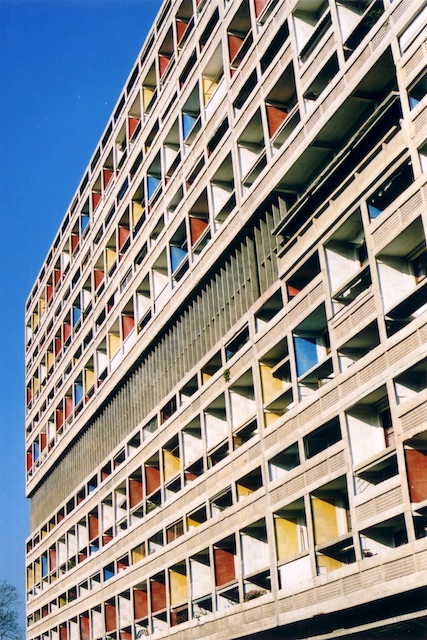
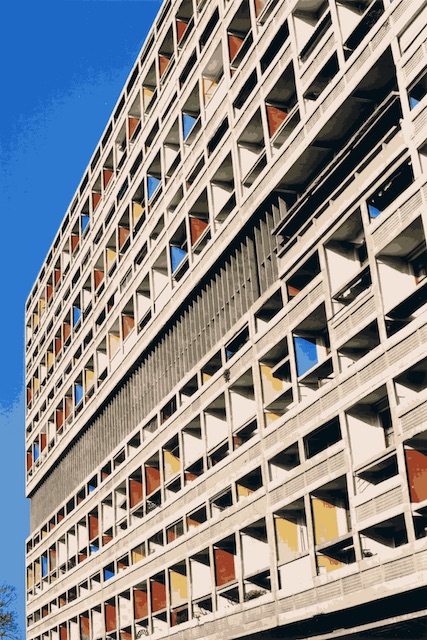
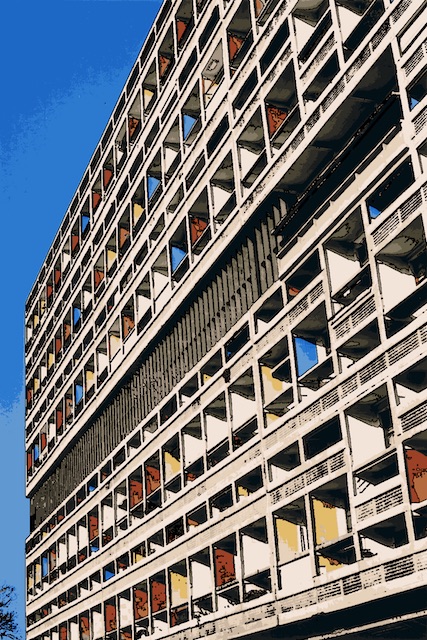
The three images above show the original, a version with a reduced color palette, and finally a version with outlines. The difference between the first two images is somewhat subtle, but the example below may be clearer.
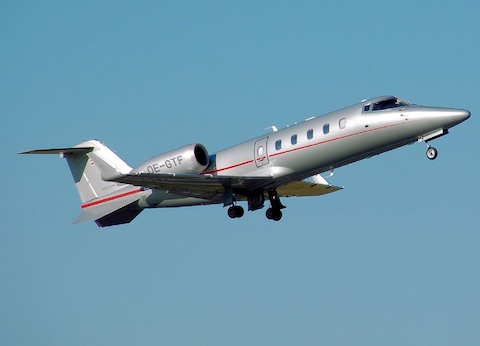
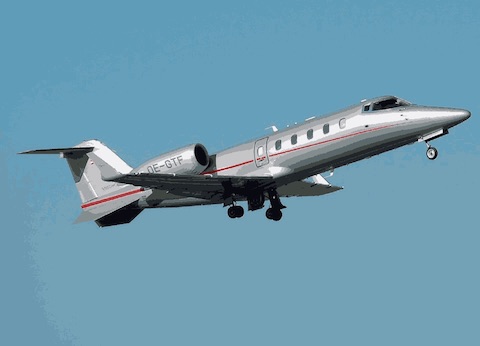
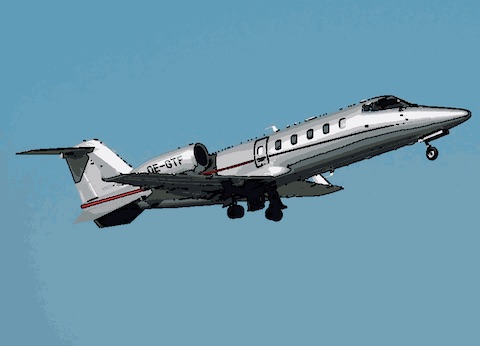
At the core of this process is an algorithm known as k-means clustering. This algorithm takes a set of values (color pixels in this case) and assigns them to a fixed number of clusters. We will discuss k-means clustering in class, but here is a rough outline of the algorithm:
- Choose a set of random cluster centers, either by generating random colors or choosing colors from random points on the image.
- Assign each pixel of the image to a cluster based on distance; the pixel should be assigned to the cluster whose center is closest. Euclidean distance works well for RGB colors.
- Compute the average color within each cluster. Make this the new cluster center.
- Repeat this process until the cluster centers do not change, or you hit a maximum number of iterations.
The above images were produced by assigning pixels to one of 16 clusters using k-means. Then, the program replaces the color at each pixel with its cluster center’s color. Next, the program uses k-means to assign colors to just three clusters, but does not change the color of each pixel. Using this small set of clusters, the program then looks for pixels at the boundary of two clusters and changes them to black. A boundary is a pixel with at least one neighbor in a different cluster, including diagonal neighbors.
Getting Started
The starter code for this lab is available on GitHub at grinnell-cs/213-cartoonify. Use the usual fork & collaborate model for this lab.
Use the following commands to run the starter code:
$ make
... make output will appear here ...
$ ./cartoonify images/airplane.bmp
The provided code loads a bitmap image (two compatible images are provided), then removes all of the blue color from the image.
The output of the program is written to output.bmp in the current directory.
While this program is written in a .cu file, it does not use the GPU to perform any tasks. You are responsible for copying the image to the GPU, writing kernels to run kmeans clustering, and copying image data back from the GPU. You should refer back to our GPU mini-lab for examples of how to allocate memory on the GPU, how to move data back and forth from the CPU to the GPU, and how to invoke kernels.
Caution
While some newer GPUs do support kernels invoking other kernels, ours do not; The repeated process of reassigning points clusters and computing new cluster centers with k-means will require multiple kernel calls from the CPU. While you are calling the kernel multiple times, you do not need to transfer the image data back and forth each time.
Requirements
There are many pieces of this program that can be run in parallel on the GPU. You are required to perform these two tasks on the GPU:
- Assign pixels to cluster centers
- Add black pixels where different clusters meet
For an added challenge, use the reduce pattern on the GPU to compute new cluster centers. You can also use a map pattern to swap the original image colors with cluster center colors.
Extra Challenges
While this filter works fairly well, it is far from the best method for a general image processing technique known as image segmentation. Image segmentation is the task of breaking an image into its distinct visible objects. Many other techniques for image segmentation consider the image distance between pixels before deciding whether or not to assign them to the same group. You can make changes to the distance computation for k-means clustering to improve the output of this tool, or you could switch to a different clustering technique like the parallel region labeling example we ran on the board with a stencil computation.