Homework: Lightcycle
- Assigned
-
- March 26, 2026
- Due
-
- April 9, 2026 10:00pm
- Collaboration
-
-
Regular policies for collaboration apply to this homework assignment. Make sure you review and understand the policies on the syllabus before you discuss your work on this assignment with anyone else.
- Submitting
-
-
Submit your completed
lightcycle.csource file on Gradescope. You can submit as many times as you want up until the deadline. Make sure the final version of your implementation is committed and pushed to yourgitrepository by the deadline.
Our next homework assignment is a version of the classic Lightcycle arcade game that was inspired by the movie Tron. The screenshow below shows a typical game in progress:
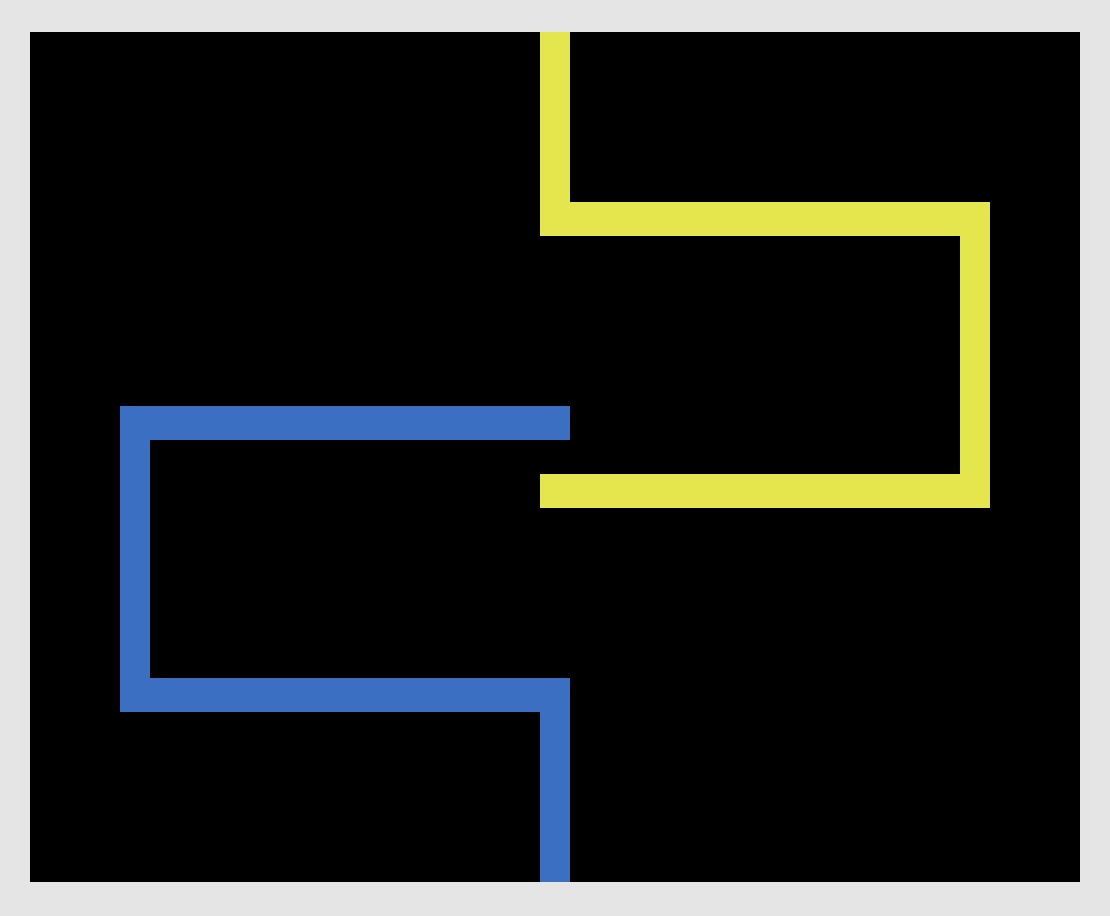
The version of the game from the in-class demo is available on MathLAN. You won’t have access to the code, but you can run the original program. You can run the demo with this command:
$ /home/curtsinger/csc161/demos/lightcycle/lightcycle
Getting Started
You must complete your work for this assignment using a git repository on the class git server.
When you log in you should see a repository called lightcycle-USERNAME, where USERNAME is your college username.
You have access to modify this repository directly, so do not create a fork.
Instead, run the commands below to clone the repository and open it with VSCode:
$ cd ~/csc161/homework
$ git clone https://git.cs.grinnell.edu/csc161/lightcycle-USERNAME.git lightcycle
$ cd lightcycle
$ code .
Make sure you replace USERNAME in the example above with your Grinnell username (not your full email address) so you have the correct repository path.
Notice that this time we are using git clone with an extra option at the end.
This tells git to save the cloned repository in a directory named lightcycle instead of lightcycle-USERNAME.
If you are unable to access your git repository, please contact the instructor immediately!
The repository could be configured incorrectly, but you may also have an issue with the configuration of your user account on the git server that we should address as soon as possible.
Game Rules
Our version of this game will have two players, one blue and one yellow. Each player controls a lightcycle that moves forward at a fixed speed, and the lightcycle leaves a trail behind on every cell it has visited. The player’s controls determine the direction their lightcycle moves forward on a fixed grid.
Movement takes place on a grid that is 35 spaces wide and 25 spaces tall, not counting the solid border that surrounds the play area. Crashing into the border or the trail from either lightcycle ends the game. The player who did not crash wins, or if both player crash at the same time the result is a tie.
Controls
Player 1 (blue) should use the arrow keys to control their lightcycle, while player 2 (yellow) uses the W, A, S, and D keys. Pressing a direction key should turn the lightcycle to move in the corresponding direction (e.g. pressing the up arrow should turn the lightcycle to move up).
Your control logic should not allow a player to rotate 180 degrees in a single turn. For example, it should not be possible for a player moving left to turn to move right all in one step. This would cause the player to lose immediately, since they would be turning directly into their own trail.
Display
This game uses ncurses and a game loop to display game state with characters.
Because characters are rectangular, each cell in the game board should correspond to two neighboring characters.
This is the same trick we used in the maze editor labs.
Unlike the maze editor labs, the demo implementation does not use the ACS_CKBOARD character.
Instead, every cell is printed as a space (' ') but with a different background color.
We briefly touched on terminal colors in the previous assignment, but ncurses gives us much more powerful tools to manipulate terminal colors.
After you’ve initialized ncurses inside your main function, you can use this code to enable color output and create some possible color combinations:
// Tell ncurses to initialize color support
start_color();

// Color pair 0 is white text on a black background
init_pair(0, COLOR_WHITE, COLOR_BLACK);

// Color pair 1 is white text on a blue background
init_pair(1, COLOR_WHITE, COLOR_BLUE);

// Color pair 2 is white text on a yellow background
init_pair(2, COLOR_WHITE, COLOR_YELLOW);
Later, when you want to print something in color, you can use the attron and attroff functions to switch color on and off:
// Print a message with white text on blue background (color pair 1)
attron(COLOR_PAIR(1));
mvprintw(3, 5, "Hello world!");
attroff(COLOR_PAIR(1));
The demo implementation shows the location where a player crashed into lightcycle trail in red, but this isn’t required for your implementation. You are welcome to make different decisions about how you show game state. The only two firm requirements for your game’s display is that it must use color, and it must print two adjacent characters for each cell on the game board so they are roughly square.
Showing Results
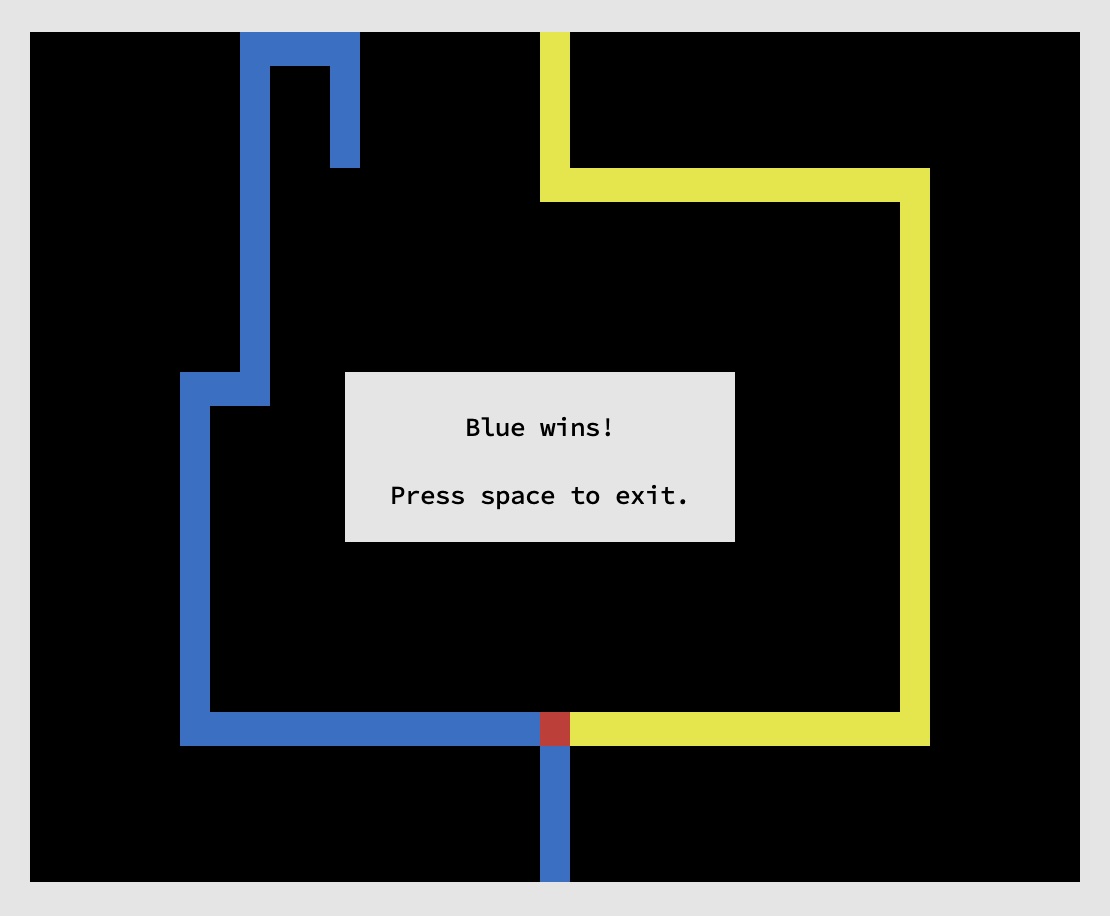
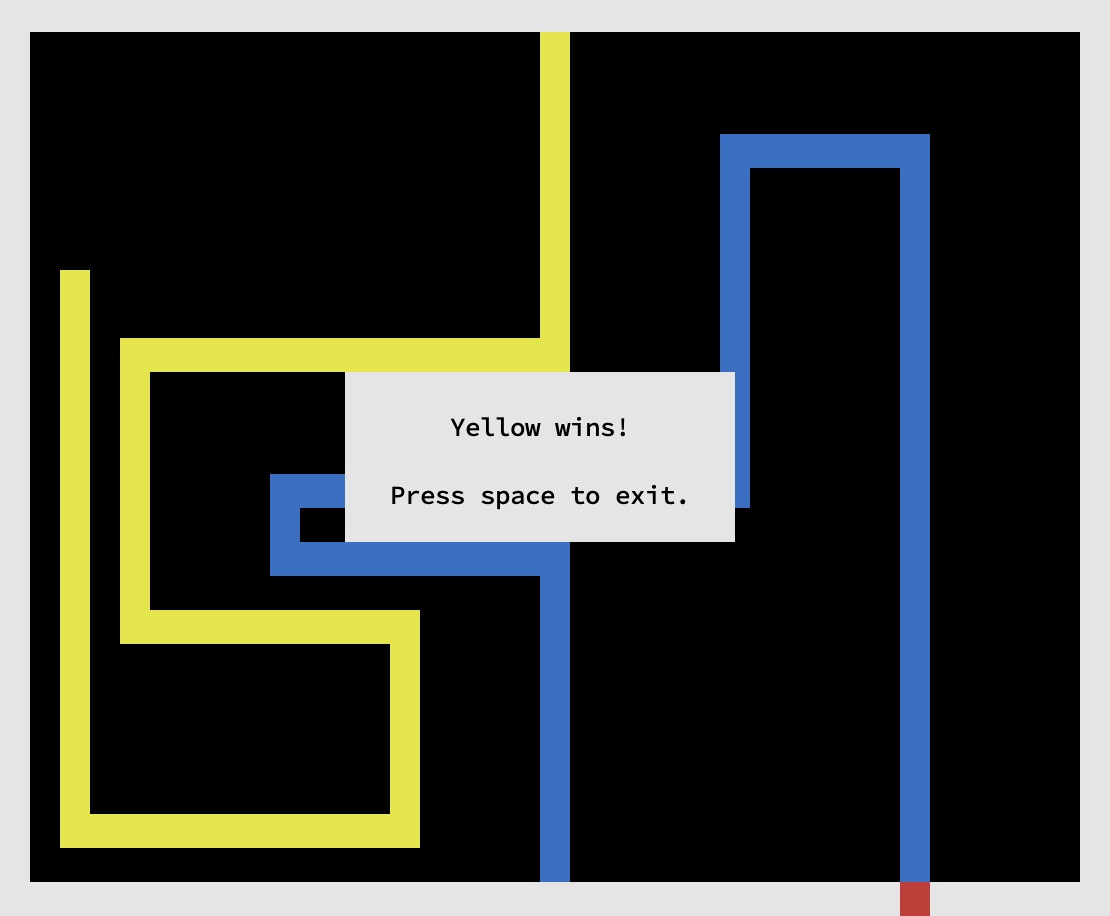
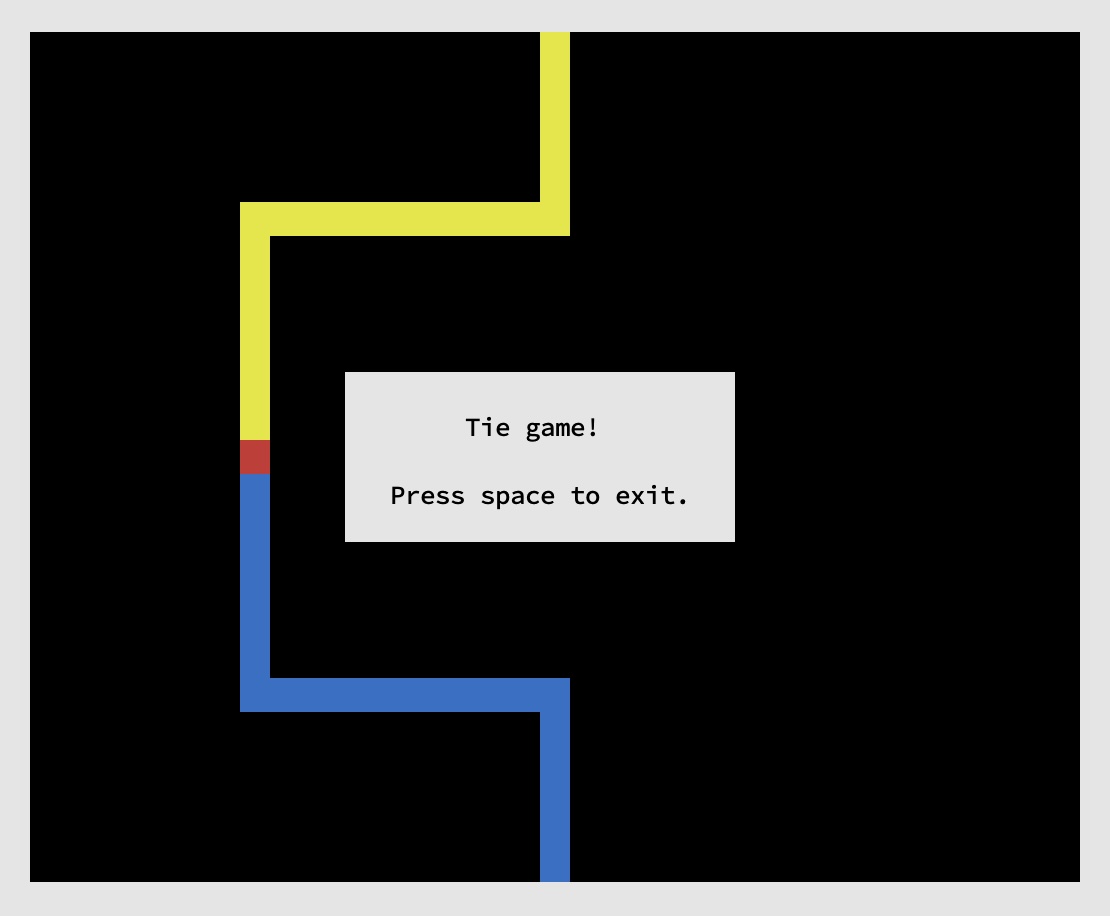
When the game ends, you should show the outcome and wait for the user to hit space before exiting. The following screenshots show the three possible game outcomes.
If yellow crashes first, blue wins:
If blue crashes first, yellow wins:
If both players crash at the same time, the result is a tie:
Requirements
Your assignment will be assessed on binary scale: it either meets the requirements for the assignment and receives credit, or it does not. If the work you submit does not receive homework credit you can use a token to resubmit it. You can also use a token to submit the assignment up to 48 hours late. Keep in mind, assignments that are not submitted are not eligible for resubmission.
To receive credit, your connect four implementation must meet the following requirements:
- Game State and Logic:
- You must correctly implement all of the game rules described above.
- Game Interface:
- Your game should accurately display its state and respond to user input as described above. You will need to make some decisions about how you display information to users, but make sure you meet the basic requirements for the game interface (keyboard inputs, color display, etc.) as you complete your implementation.
- Code Style:
- Your implementation must follow all of the code style requirements for the class as of the time the assignment was released.
Submissions that build with compiler errors or warnings will receive an automatic zero.
There may be changes to code style requirements that apply to this assignment, but these requirements will not change during the last five days the assignment is out. - Code Organization:
- Your code must be organized into functions with a clear, sensible purpose.
Your implementation should not have any unreasonably large or complex functions.
You are not required to use
enums orstructs in your implementation, but they may be helpful for organization. If you are unsure about whether your code is disorganized or overly complex you can ask the instructor for feedback on your design. - Safety:
- Your program must not rely on unsafe or undefined behavior. Some code style expectations also relate to safety (like checking for errors from standard functions) so those issues may receive deductions in both categories. Make sure your implementation never reads from uninitialized variables, always accesses arrays in bounds, and does not access storage locations after they have gone out of scope (i.e. do not return pointers to a function’s local variables). Unsafe code may cause your program to crash, but programs with safety issues may appear to work correctly.
Class Concepts
You can complete this entire assignment using concepts we’ve covered in class as of the assignment’s release, but you may find it helpful to incorporate material we cover in class after the assignment is released. You are welcome to use concepts covered in class during the assignment period, but you may not use any C features we have not discussed before the assignment deadline. Using concepts we haven’t covered by the time you turn in your work will result in a grade deduction.
Academic Honesty
As with all work you do in this course, the academic honesty policy applies to your work on this homework assignment. Please review the syllabus for policies on individual homework to make sure you understand the resources you can and cannot use for this work. Academic honesty violations will be reported to the committee on academic standing, and can result in penalties for your grade on this assignment or the entire course if you are found responsible for the violation.
Copyright © Charlie Curtsinger
 This work is licensed under a Creative Commons Attribution-NonCommercial-ShareAlike 4.0 International License.
Materials for this course are derived from work by Nicole Eikmeier, Fernanda Eliott, Barbara Johnson, Titus Klinge, Peter-Michael Osera, Sam Rebelsky, John Stone, Henry Walker, and Jerod Weinman.
This website was built using Jekyll, Twitter Bootstrap, and the Bootswatch Cosmo Theme.